Linux Mastery Syllabus (DevOps / SRE Focus)
🧱 PHASE 1 — Core System Understanding (Foundation but Deep)
1. Linux Architecture
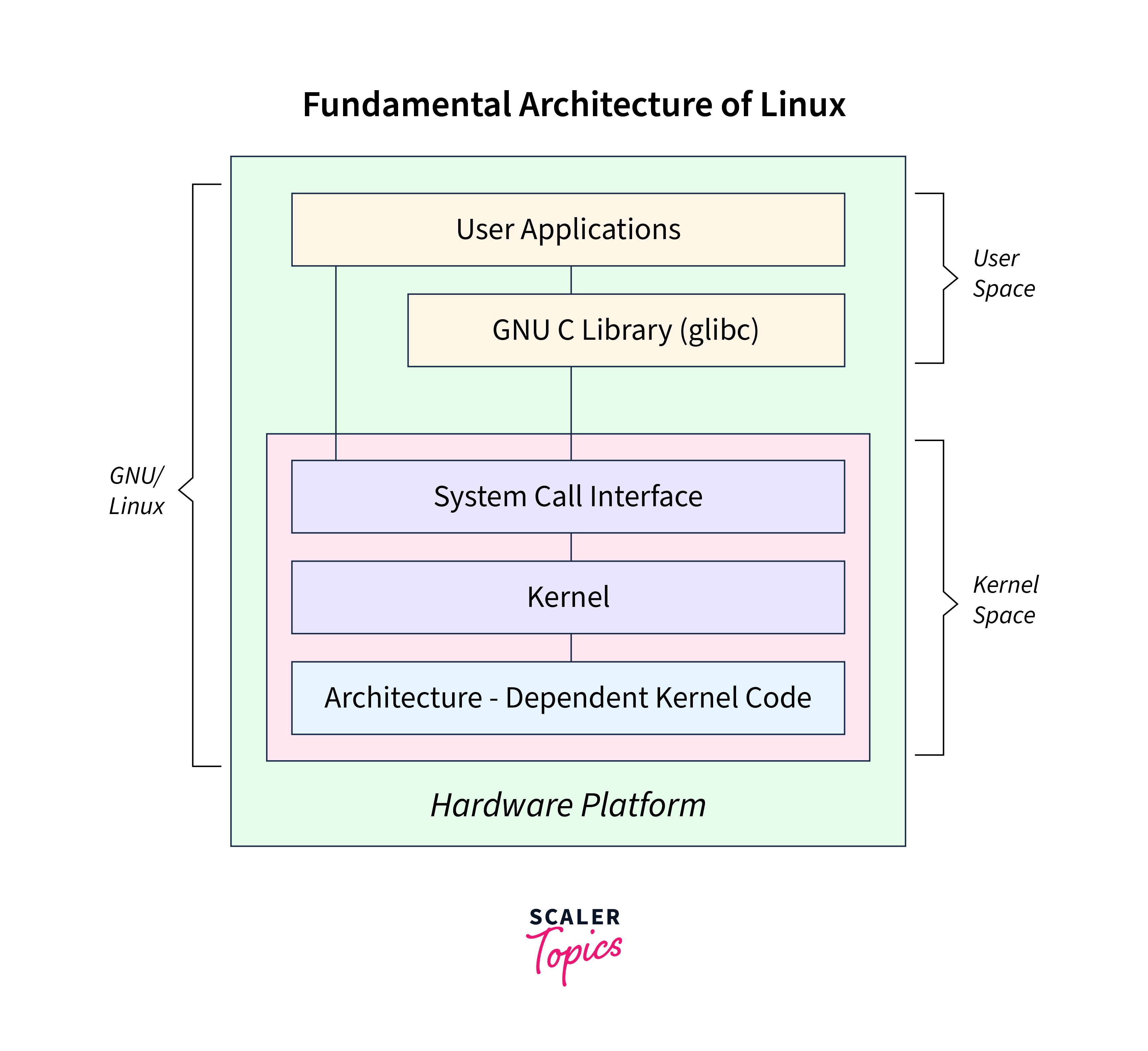
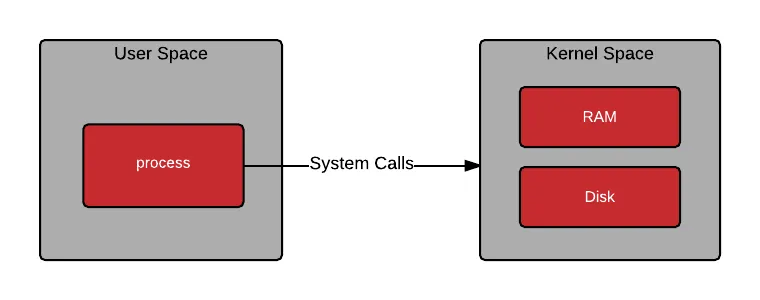
- Kernel vs User space
- System calls
- Boot process (BIOS → GRUB → Kernel → Init)
- Runlevels / Targets
👉 Output Skill:
- You can explain how a system boots and where things can break
2. Filesystem & Storage
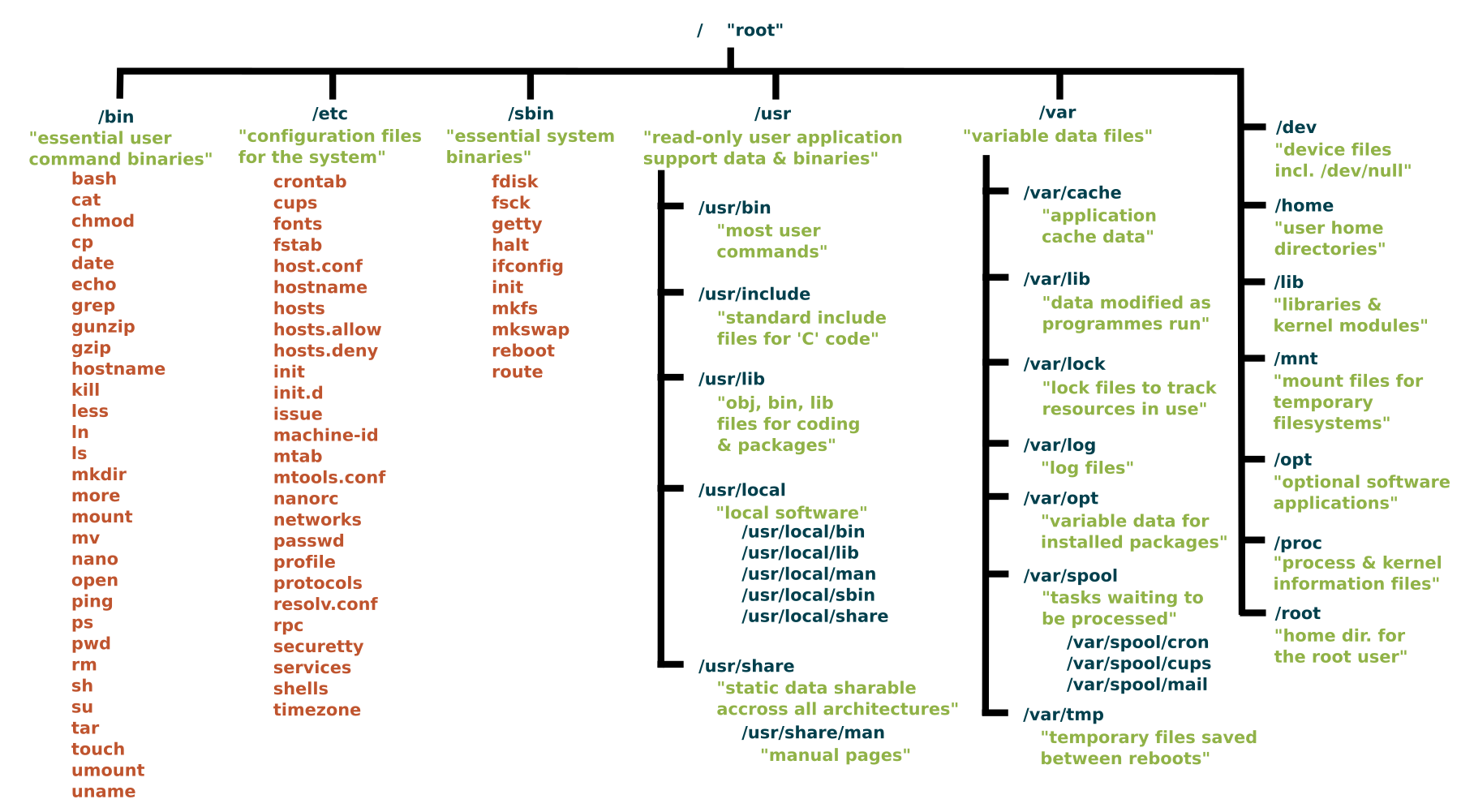
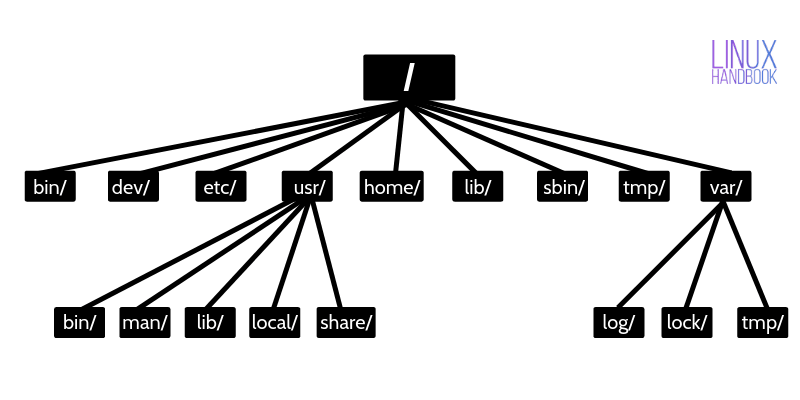
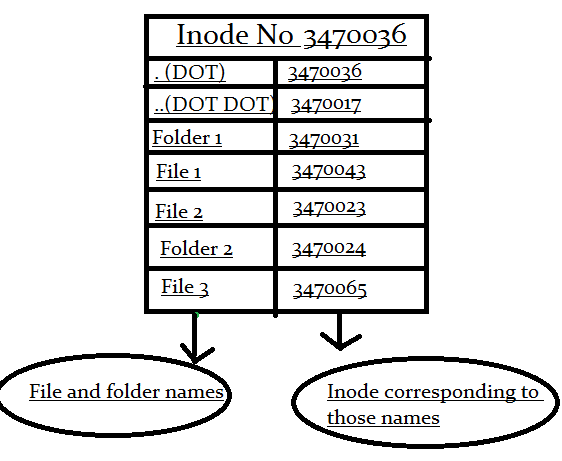
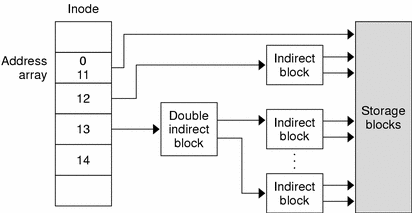
- Linux filesystem hierarchy (
/etc,/var,/usr,/home) - Inodes & file metadata
- Mounting & partitions
- File types (links, sockets, pipes)
👉 Practice:
- Mount a disk manually
- Recover deleted file (inode understanding)
3. Permissions & Ownership
-
chmod, chown, umask
-
SUID, SGID, Sticky bit
-
ACLs (
setfacl,getfacl)
👉 Real-world:
-
Secure SSH directories
-
Restrict app access
⚙️ PHASE 2 — Process, Memory & System Control
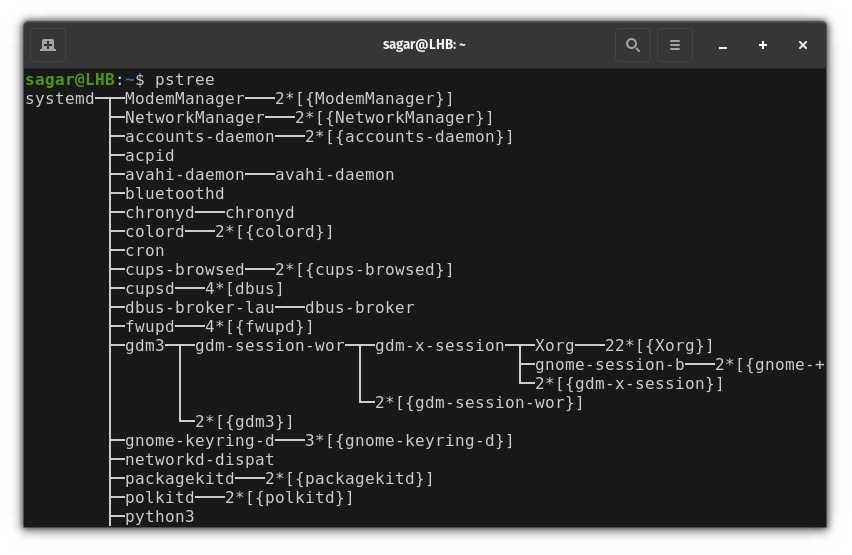
4. Process Management
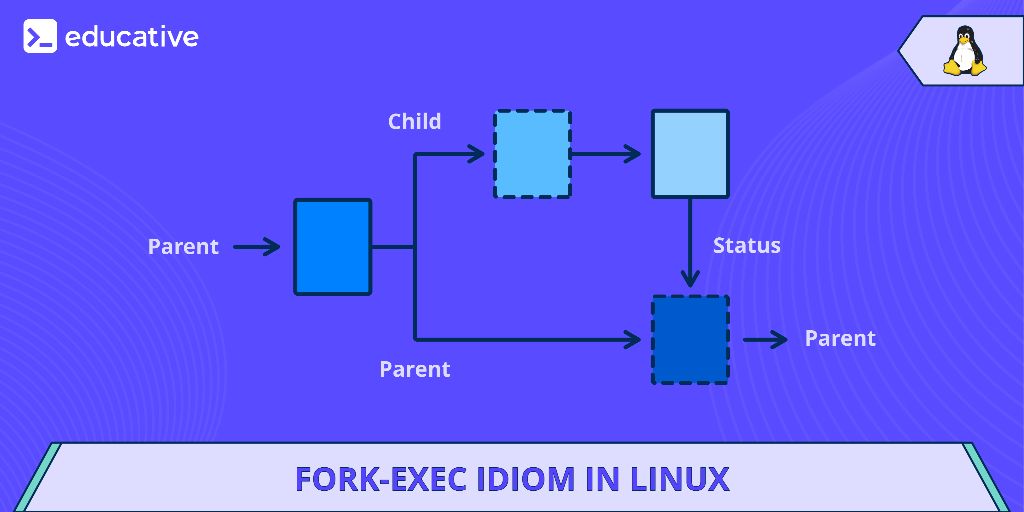
-
Process lifecycle
-
Foreground/background jobs
-
Signals (
kill,SIGTERM,SIGKILL) -
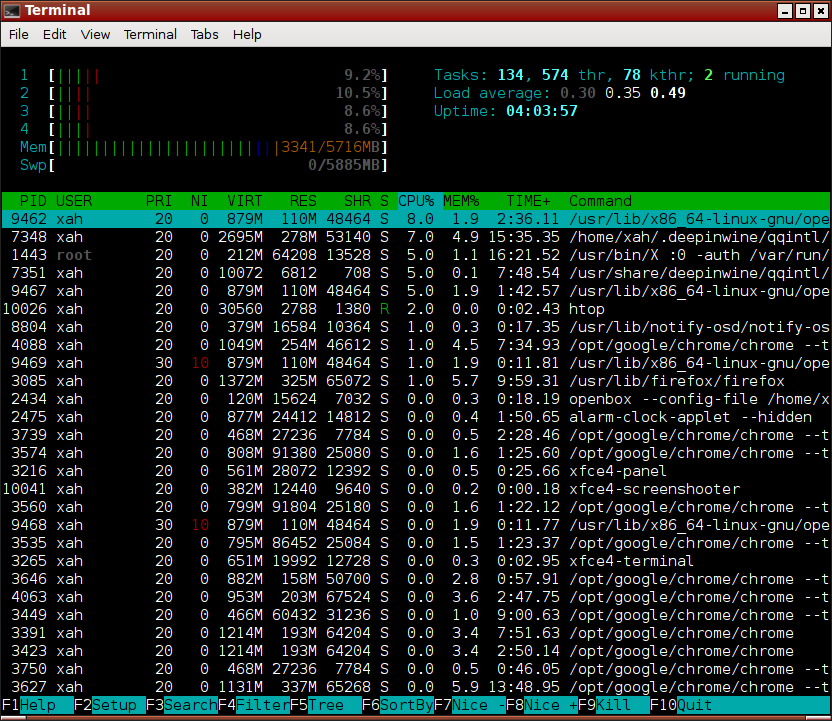
Monitoring (
top,htop,ps,nice)
👉 Practice:
-
Kill stuck processes safely
-
Prioritize processes
5. Systemd & Services (CRITICAL)
-
systemctl (start, stop, restart)
-
Unit files
-
Journald logs
👉 Real-world:
-
Debug failed services
-
Create custom service
6. Memory Management
-
RAM vs Swap
-
Cache, buffers
-
Tools:
free,vmstat,top
👉 Debug:
- High memory usage issues
🌐 PHASE 3 — Networking (VERY IMPORTANT FOR DEVOPS)
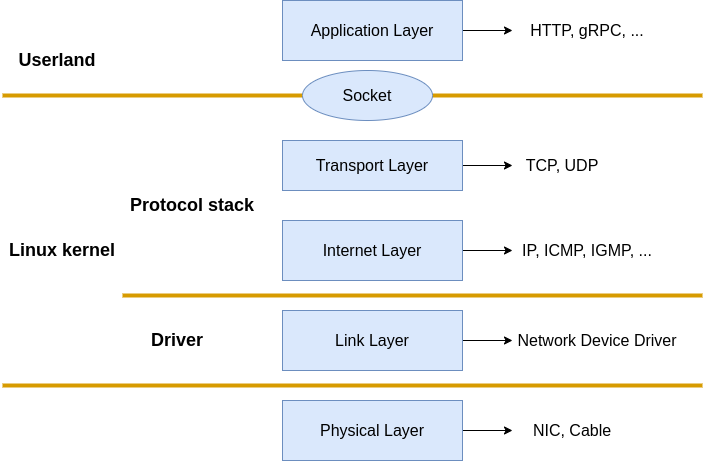
7. Linux Networking Basics

-
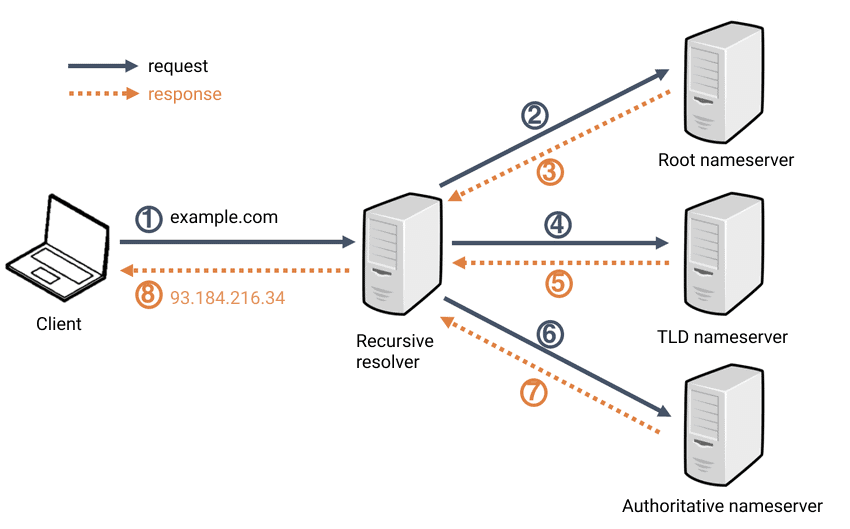
IP, DNS, routing
-
/etc/hosts,/etc/resolv.conf -
Commands:
ping,curl,wget
8. Advanced Networking
-
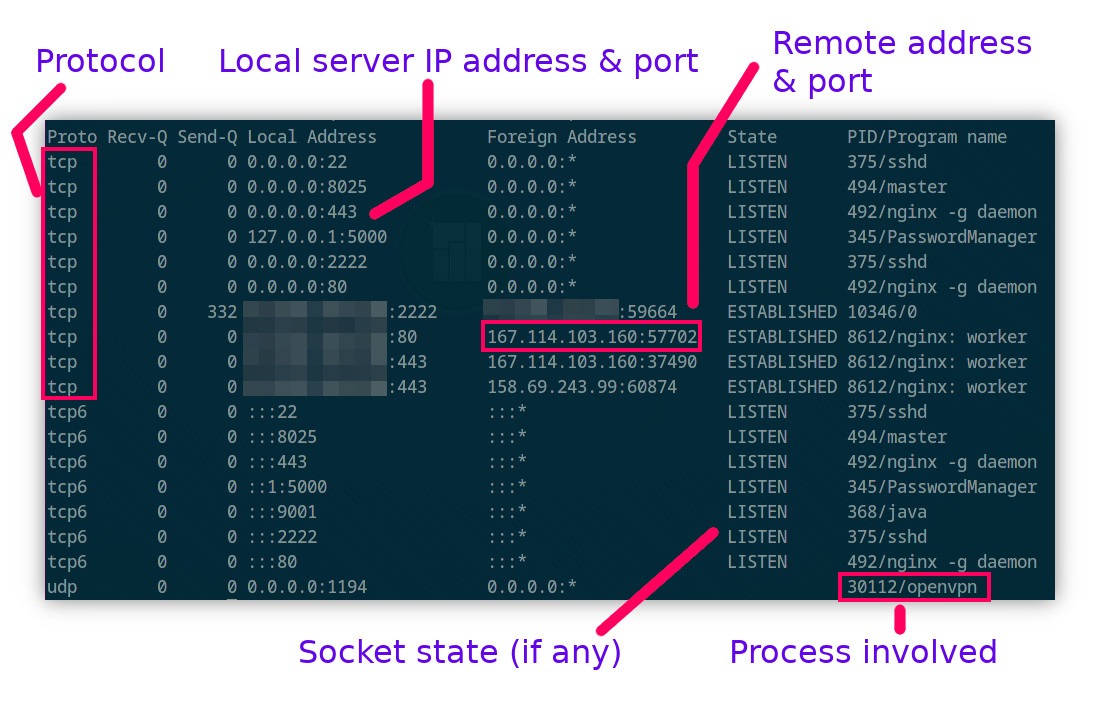
netstat,ss,tcpdump -
Ports & sockets
-
Firewall (
iptables,ufw)
👉 Practice:
-
Debug “service not reachable”
-
Open/close ports
🧑💻 PHASE 4 — Shell & Automation (GAME CHANGER)
9. Bash & Shell Scripting
-
Variables, loops, conditions
-
Functions
-
Cron jobs
👉 Build:
-
Backup script
-
Log cleanup script
-
Deployment script
10. Text Processing Tools
grep,awk,sed,cut,sort
👉 Real-world:
-
Parse logs
-
Extract metrics
📦 PHASE 5 — Package & Software Management
11. Package Managers
-
apt,yum,dnf -
Repositories
12. Build & Install Software
-
Compile from source (
make,gcc) -
Environment variables
🔐 PHASE 6 — Security (VERY IMPORTANT)
13. Linux Security Basics
-
SSH hardening
-
Fail2ban
-
User privilege control
14. Advanced Security
-
SELinux / AppArmor
-
File auditing
👉 Practice:
- Secure a server from scratch
📊 PHASE 7 — Monitoring & Logs (SRE CORE)
15. Logs & Debugging
-
/var/log -
journalctl
👉 Debug:
-
Why service failed
-
Why app crashed
16. Monitoring Tools
-
top,htop -
Disk:
df,du,iostat
🧪 PHASE 8 — Advanced System Topics
17. Disk & Storage Advanced
-
RAID
-
LVM
18. Containers & Linux Internals
-
Namespaces
-
cgroups
👉 Connect to:
- Docker & Kubernetes internals
🚀 PHASE 9 — Real DevOps Scenarios (MOST IMPORTANT)
🧨 Practice Scenarios:
-
Server not booting
-
Disk full issue
-
High CPU usage
-
Service failing
-
Network unreachable
-
SSH not working
👉 THIS is what companies test
🧠 Final Output (After Completing This)
You should be able to:
-
Debug ANY Linux issue
-
Handle production servers
-
Crack DevOps interviews
-
Work confidently with Kubernetes nodes
⚡ Bonus (What Makes You TOP 1%)
-
Write bash automation scripts daily
-
Break your VM intentionally
-
Learn debugging mindset (not commands)
🔥 If you want next level:
I can create:
-
📅 30-day strict roadmap (daily tasks)
-
🧪 Hands-on lab exercises (real production issues)
-
🎯 Linux interview questions for DevOps roles
Just tell me 👍
1. To Check File Size
Use the ls -lh command for a human-readable file size:
ls -lh-l: Long listing format-h: Human-readable sizes (e.g., KB, MB, GB)
Output Example:
-rw-r--r-- 1 user user 4.0K Jan 3 12:00 example.txt
Here, 4.0K is the size of the file.
2. To Check Directory Size
Use the du (disk usage) command:
du -sh [directory_name]-s: Summary of the total size-h: Human-readable format
Example:
du -sh /home/userOutput:
2.1G /home/user
This shows the total size of the directory.
3. To See Sizes of All Files and Subdirectories
To list sizes of all files and subdirectories in a directory:
du -h [directory_name]4. Sort Files by Size
Use ls with the -S flag to sort files by size:
ls -lSh-S: Sort by file size (largest first)-h: Human-readable
5. Check Free Disk Space
To see free and used disk space:
df -hdf: Disk space usage-h: Human-readable format
Example Output:
Filesystem      Size  Used Avail Use% Mounted on
/dev/sda1       50G   20G   30G  40% /
Let me know if you need more help with CLI commands! 🚀
to assigin any command to shortcut
alias k=kubectl #Directly inside terminal
command to list all running processes, and filters the outpu
List processes
ps -ef | grep -i
grep command to show 10 lines below search
`openssl x509 -in /etc/kubernetes/pki/apiserver.crt -text -noout | grep -i -A 10 altern`