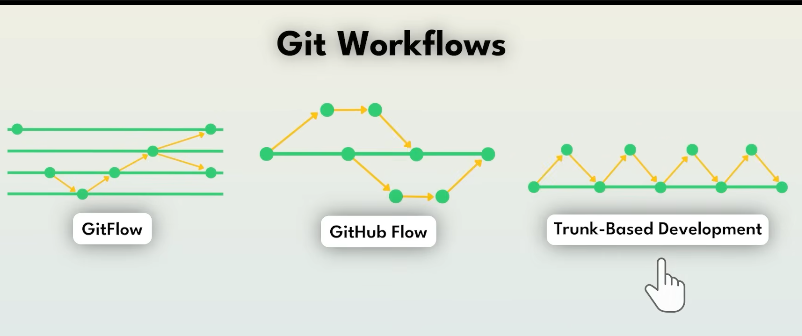
GitFlow : industry standard (but last year its a bad approach)
3 Git Workflows Every Developer Should Know (Interview Notes)
1️⃣ Git Flow
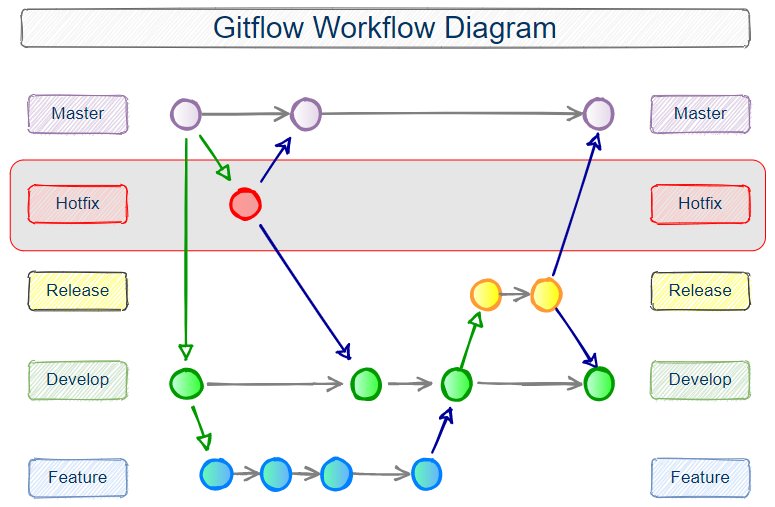
📌 Definition
Git Flow is a branch-heavy workflow designed for structured development with planned releases.
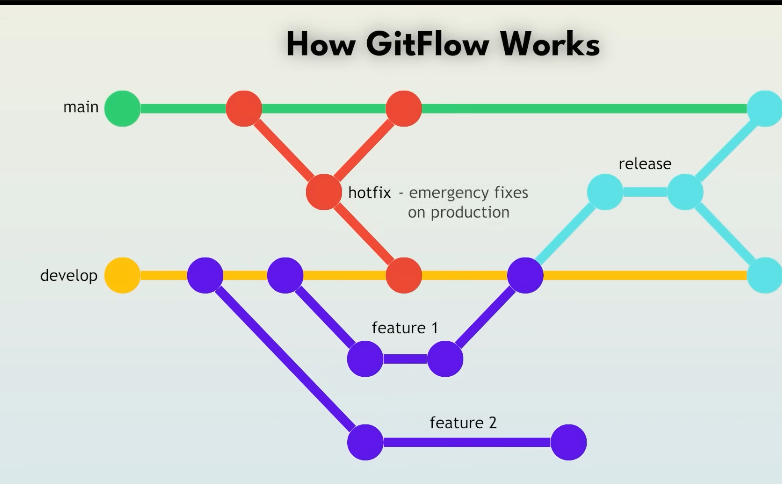
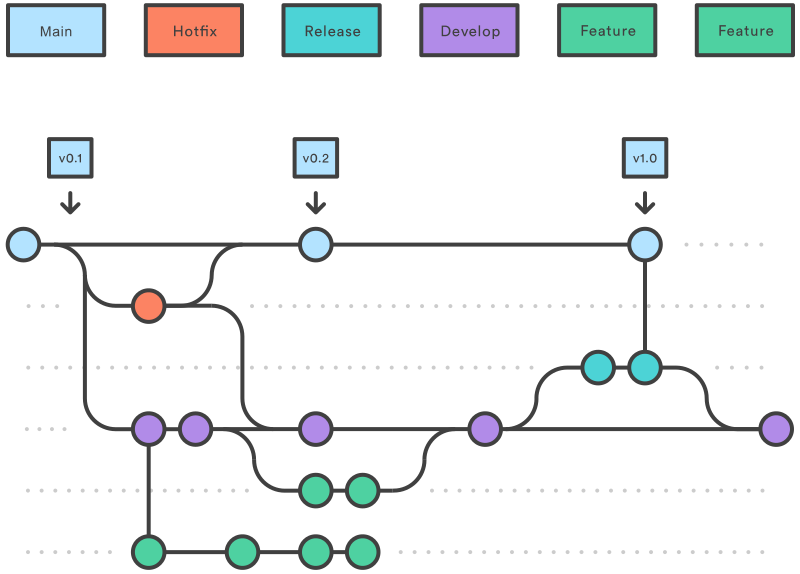
It separates development, production, features, releases, and hotfixes into dedicated branches.
🌳 Branch Structure
Permanent branches:
main→ Production-ready codedevelop→ Integration branch (latest development)
Supporting branches:
feature/*→ New featuresrelease/*→ Preparing releasehotfix/*→ Emergency production fixes
🔄 Typical Flow
- Create feature from
develop - Merge feature back to
develop - Create
release/*fromdevelop - QA + bug fixes on release branch
- Merge release →
mainAND →develop - Tag version
- Deploy
Hotfix:
- Branch from
main - Fix bug
- Merge back to
main+develop
✅ Advantages
- Clear separation of concerns
- Supports multiple production versions
- Excellent for large teams
- Strong release management
❌ Disadvantages
- Complex
- Too many long-lived branches
- Slow feedback loop
- Hard for continuous deployment
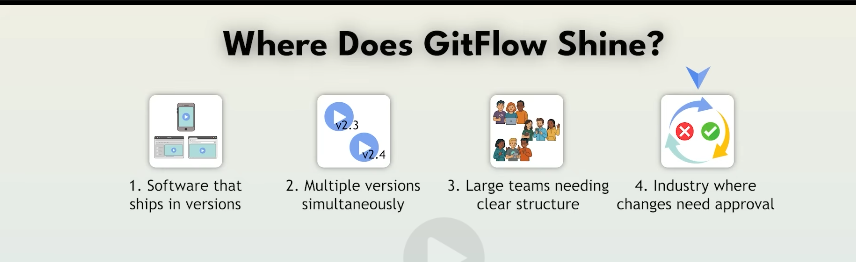
🎯 Best Used When
- Enterprise environments
- Versioned releases
- Traditional SDLC
- Banking / healthcare / legacy systems
🧠 Interview Key Points
Q: Why use Git Flow?
👉 For controlled releases and strict production stability.
Q: Difference between develop and main?
👉 develop = working code
👉 main = production code
2️⃣ GitHub Flow
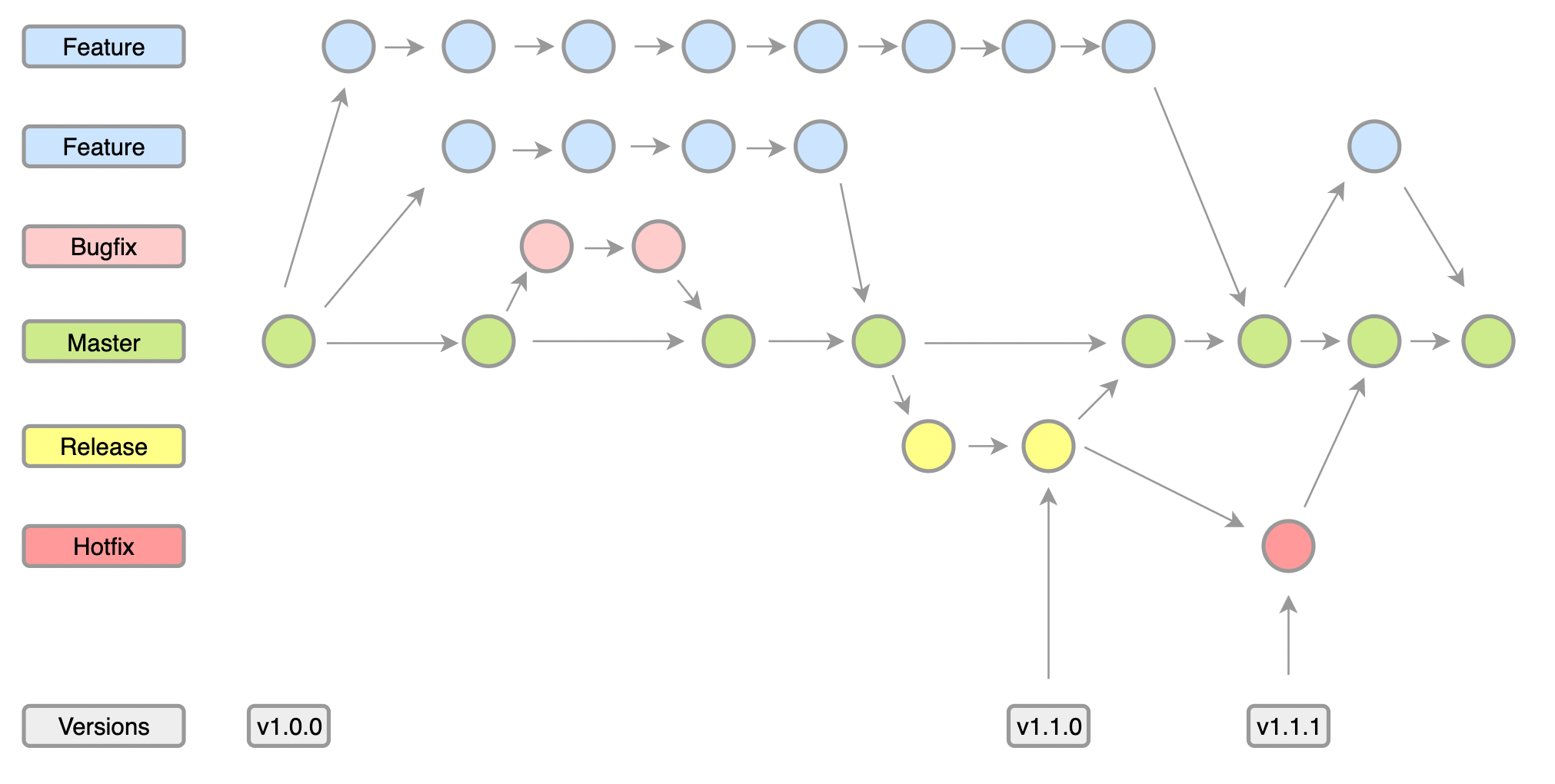
Widely used with GitHub.
📌 Definition
GitHub Flow is a lightweight workflow built around Pull Requests + Continuous Deployment.
Only ONE permanent branch:
👉 main
Everything else is temporary.
🌳 Branch Structure
main(production)- short-lived feature branches
🔄 Typical Flow
- Create branch from
main - Make changes
- Push branch
- Open Pull Request
- Code review + CI
- Merge into
main - Deploy immediately
✅ Advantages
- Simple
- Perfect for CI/CD
- Easy rollback
- Fast iteration
- Minimal branching
❌ Disadvantages
- No formal release branches
- Requires strong testing
- Less control for regulated industries
🎯 Best Used When
- Startups
- SaaS products
- Web apps
- Continuous deployment environments
🧠 Interview Key Points
Q: How is GitHub Flow different from Git Flow?
👉 No develop branch
👉 No release branches
👉 Everything merges directly to main
Q: What makes GitHub Flow safe?
👉 Pull Requests + automated CI tests.
3️⃣ Trunk-Based Development

📌 Definition
Trunk-Based Development means:
👉 Everyone commits to a single branch (main / trunk)
👉 Feature branches exist for hours or days only
🌳 Branch Structure
main(trunk)- ultra-short feature branches (optional)
🔄 Typical Flow
- Small change
- Commit to trunk
- CI runs
- Deploy
Unfinished features are hidden using:
- Feature flags
- Toggle
✅ Advantages
- Fastest delivery
- No merge hell
- Perfect for DevOps
- Encourages small commits
- Excellent for microservices
❌ Disadvantages
- Requires strong CI
- Needs automated testing
- Demands discipline
🎯 Best Used When
- DevOps teams
- Cloud-native systems
- Microservices
- High deployment frequency
🧠 Interview Key Points
Q: Why Trunk-Based is preferred in DevOps?
👉 Enables continuous integration + continuous delivery.
Q: How do you deploy incomplete features?
👉 Feature flags.
⚡ Comparison Table (Interview Gold)
| Workflow | Branches | Release Style | Speed | Best For |
|---|---|---|---|---|
| Git Flow | Many | Scheduled | Slow | Enterprise |
| GitHub Flow | Few | Continuous | Medium | SaaS / Web |
| Trunk-Based | Minimal | Continuous | Fast | DevOps |
🎯 Final Interview Summary (Say This)
Git Flow is used for structured release management.
GitHub Flow is a lightweight PR-based workflow for continuous delivery.
Trunk-Based Development focuses on committing frequently to a single branch and is ideal for DevOps pipelines.