🧠 Concept 7: ConfigMap & Secret (Configuration Management 💯)

🚀 1. Core Idea (1-line)
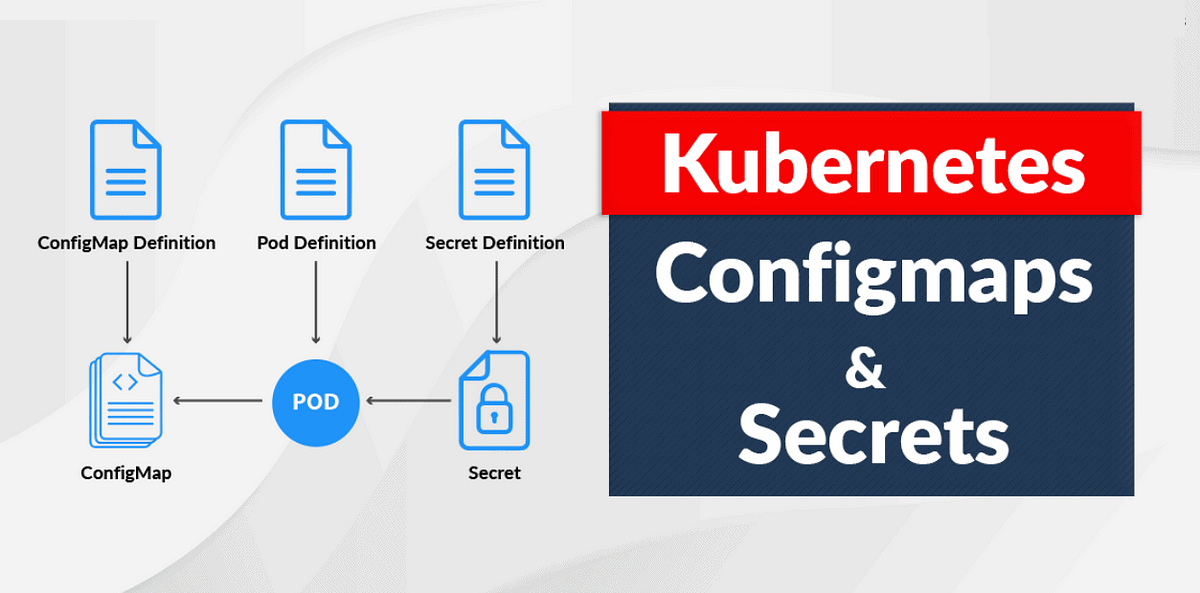
👉 ConfigMap & Secret are used to externalize configuration from your container
🧠 2. Why This Concept Exists (VERY IMPORTANT ⚠️)
Bad practice ❌:
image: app:v1
env:
  DB_PASSWORD: mypassword123
Problems:
-
Hardcoded values 😬
-
Not secure 🔓
-
Not reusable 🔁
👉 Solution:
-
ConfigMap → normal config
-
Secret → sensitive data
📦 3. ConfigMap (Non-sensitive data)
👉 Used for:
-
URLs
-
Config files
-
Feature flags
Example:
apiVersion: v1
kind: ConfigMap
metadata:
  name: app-config
data:
  APP_ENV: production
  LOG_LEVEL: debug
🔐 4. Secret (Sensitive data)
👉 Used for:
-
Passwords
-
API keys
-
Tokens
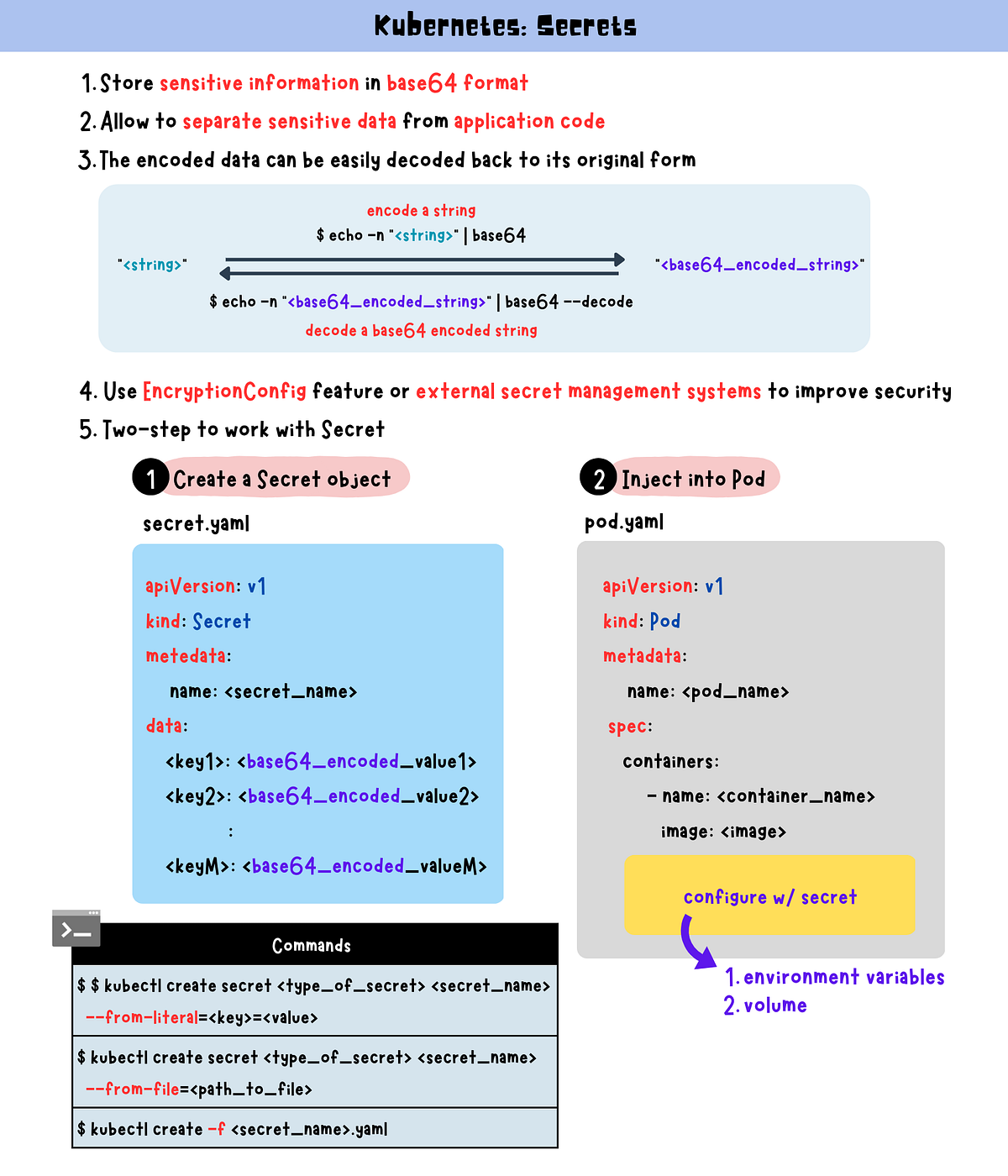
Example:
apiVersion: v1
kind: Secret
metadata:
  name: app-secret
type: Opaque
data:
  DB_PASSWORD: bXlwYXNzd29yZA==
👉 Value is base64 encoded (NOT encrypted ⚠️)
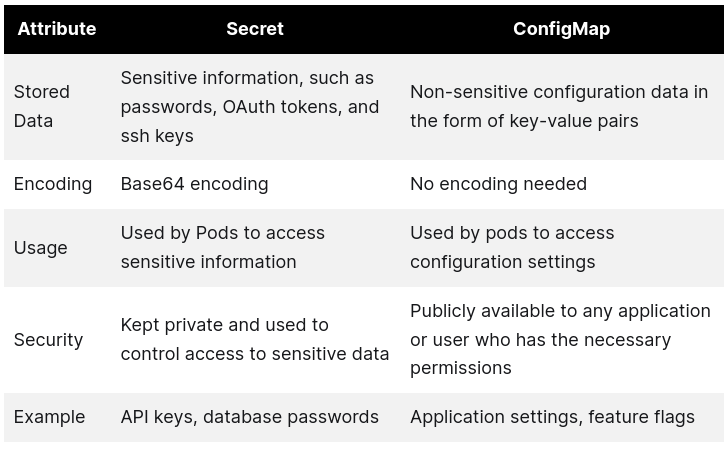
⚠️ 5. VERY IMPORTANT Difference
| Feature | ConfigMap | Secret |
|---|---|---|
| Data type | Plain text | Base64 encoded |
| Use case | Non-sensitive | Sensitive |
| Security | Low | Slightly better |
👉 But:
⚠️ Secret is NOT fully secure unless:
-
Encryption at rest enabled
-
RBAC properly configured
⚙️ 6. How to Use in Pod
As Environment Variables:
envFrom:
- configMapRef:
name: app-config
- secretRef:
name: app-secret
As Volume (VERY IMPORTANT 🔥)
volumes:
- name: config-vol
  configMap:
name: app-config
👉 Mounted as files inside container
🔥 7. Real-world Example (DevOps / ML)
You deploy ML API:
-
DB URL → ConfigMap
-
DB Password → Secret
👉 Clean + secure + flexible
💥 8. Key Benefits
-
No hardcoding
-
Easy updates
-
Reusable configs
-
Better security separation
⚠️ 9. Common Mistakes
❌ Putting secrets in ConfigMap
❌ Thinking base64 = encryption
❌ Hardcoding creds in image
💼 10. Interview Answer
👉 “ConfigMap stores non-sensitive configuration data, while Secret is used to store sensitive information like passwords and tokens, both of which can be injected into pods.”
⚡ 11. CKA Commands
kubectl create configmap app-config --from-literal=key=value

kubectl create secret generic app-secret \
  --from-literal=DB_PASSWORD=mypassword

kubectl get cm
kubectl get secret
🧠 12. Memory Trick
👉 ConfigMap = settings ⚙️
👉 Secret = passwords 🔐
🔥 13. Pro Insight (Real-world)
In production:
-
Use Vault / AWS Secrets Manager
-
Don’t rely only on K8s Secret
🚀 Next Step
Bol:
👉 “next”
Then we go to:
🔥 Concept 8: Volume & Persistent Volume (Storage 💯 — VERY IMPORTANT)