🧠 Concept 6: Namespace (Resource Isolation + Multi-team 💯)
🚀 1. Core Idea (1-line)
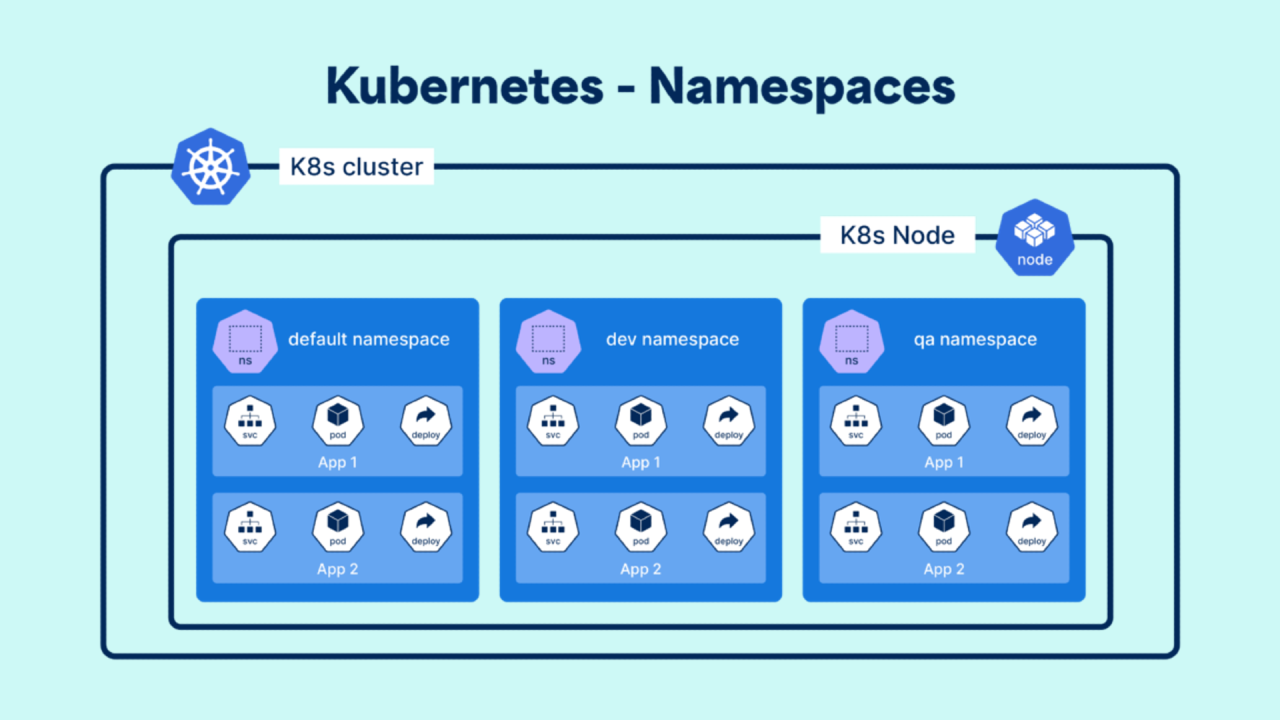
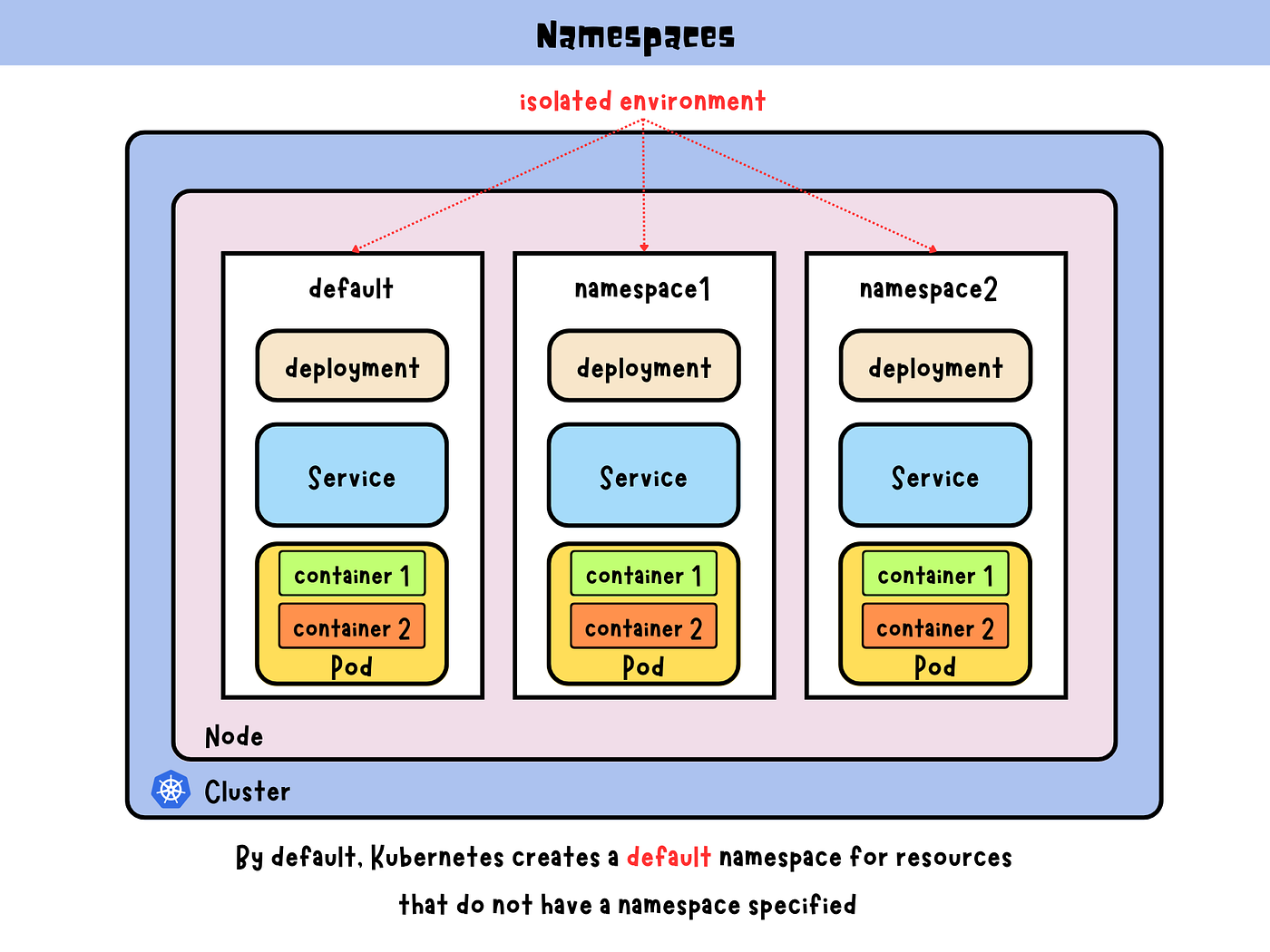
👉 Namespace = logical partition inside a Kubernetes cluster
🧠 2. Why Namespace Exists (VERY IMPORTANT ⚠️)
Imagine:
-
1 cluster
-
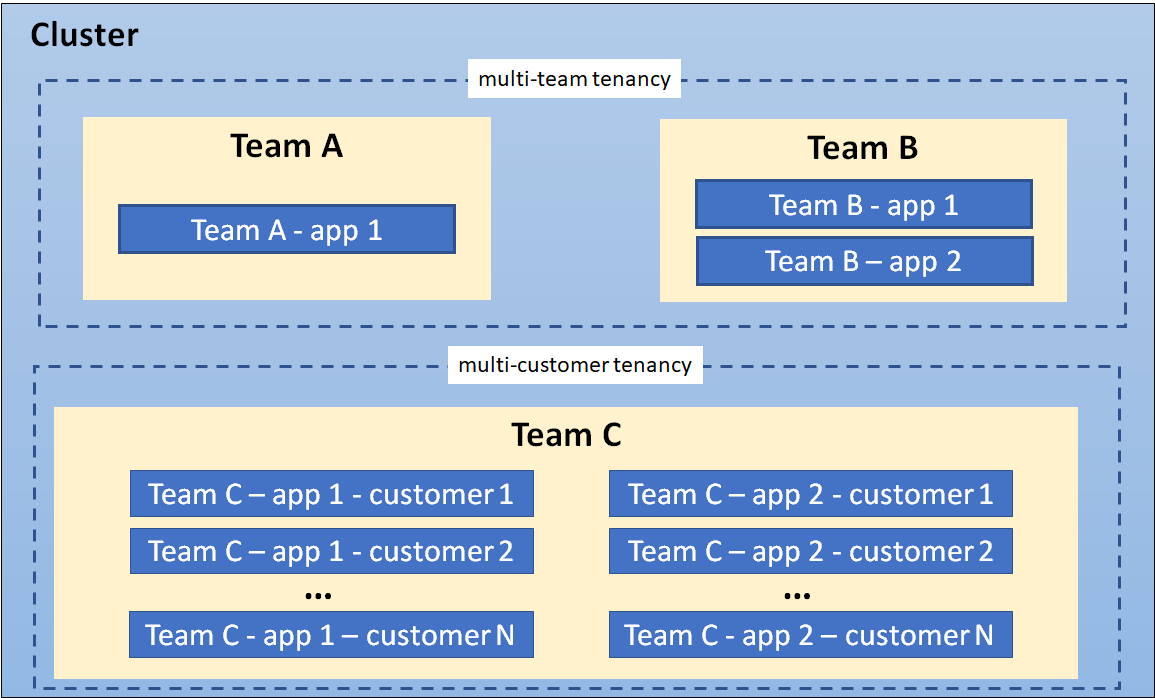
Multiple teams using it
Problems:
❌ Name conflicts (same pod names)
❌ Resource chaos
❌ No isolation
👉 Namespace solves this
🧩 3. What Namespace Does
-
Separates resources logically
-
Allows same names in different namespaces
-
Enables access control (RBAC)
-
Helps in resource limits
🔥 4. Real-world Usage
Typical namespaces:
-
dev→ development -
staging→ testing -
prod→ production
👉 Same app can exist in all 3
💡 5. Example
You can have:
pod: my-app (in dev)
pod: my-app (in prod)
👉 No conflict ✅
⚙️ 6. Default Namespaces (IMPORTANT)
Kubernetes already has:
-
default → if you don’t specify
-
kube-system → system components
-
kube-public → public resources
-
kube-node-lease → node heartbeats
📦 7. YAML Example
apiVersion: v1
kind: Namespace
metadata:
  name: dev
⚡ 8. Commands (CKA 🔥)
kubectl get ns
kubectl create namespace dev

kubectl get pods -n dev
kubectl apply -f app.yaml -n dev
🧠 9. VERY IMPORTANT: Scope Concept
Namespaced resources:
-
Pods
-
Services
-
Deployments
Cluster-wide resources:
-
Nodes
-
PersistentVolumes
👉 Not everything is inside namespace ❗
🔥 10. Resource Quotas & Limits
You can restrict:
-
CPU
-
Memory
-
Number of pods
👉 Prevents one team from eating all resources
💥 11. Real DevOps Insight
In companies:
-
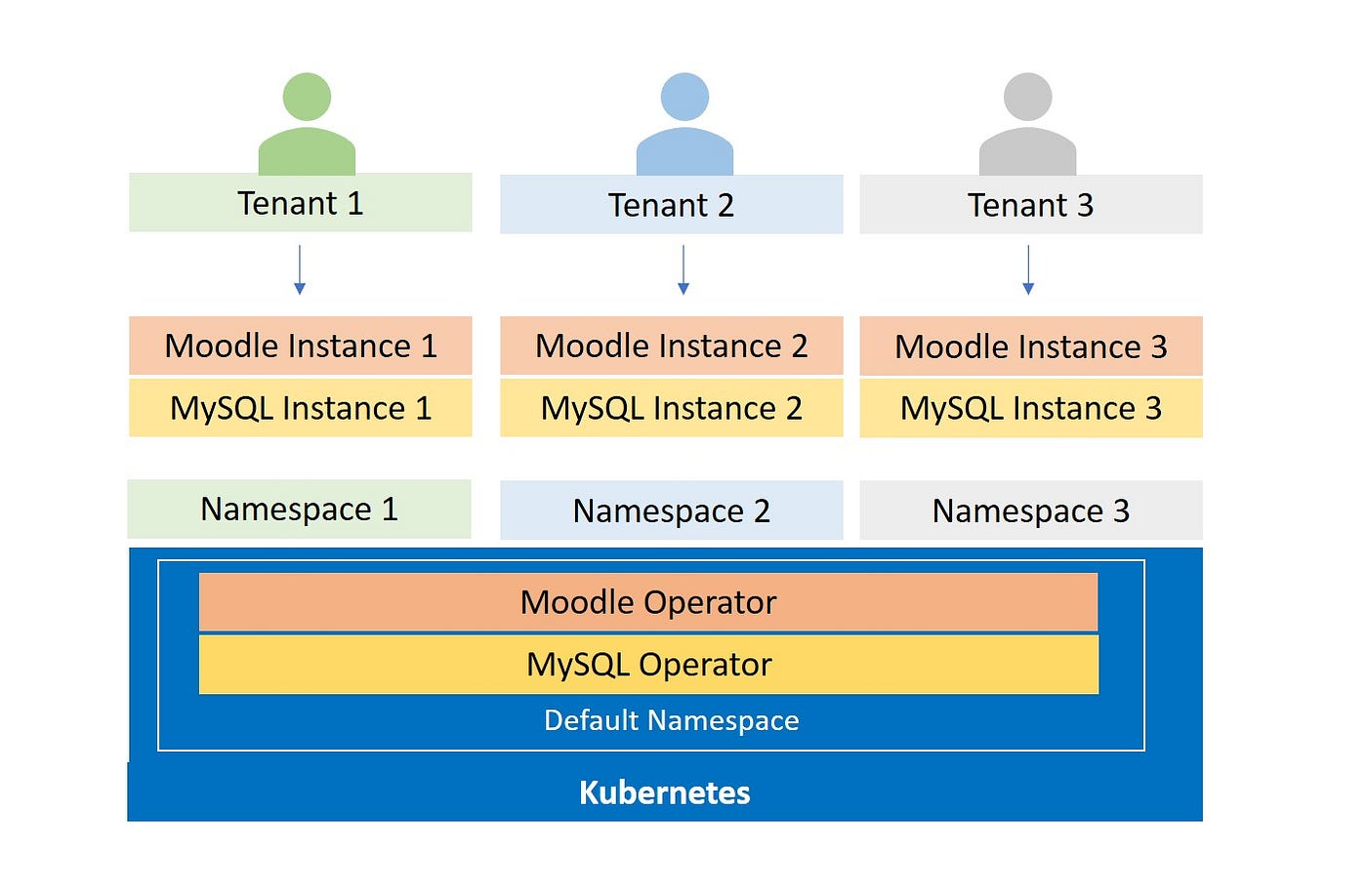
Each team gets namespace
-
RBAC applied per namespace
-
CI/CD deploys to specific namespace
👉 Multi-tenant architecture 💯
⚠️ 12. Common Mistakes
❌ “Namespace = separate cluster” → WRONG
👉 It’s inside same cluster
❌ “Namespace gives security by default”
👉 Needs RBAC configuration
💼 13. Interview Answer
👉 “Namespace is a logical isolation mechanism in Kubernetes used to divide cluster resources among multiple users or teams.”
🧠 14. Memory Trick
👉 Cluster = Building 🏢
👉 Namespace = Rooms 🚪
🔥 15. Pro Insight
👉 Always use namespaces in production
👉 Never dump everything in default
🚀 Next Step
Bol:
👉 “next”
Then we go to:
🔥 Concept 7: ConfigMap & Secret (Configuration Management 💯)