
🚀 1. Core Idea (1-line)
👉 Service provides a stable network endpoint to access Pods
🧠 2. Problem Without Service (VERY IMPORTANT ⚠️)
Pods are ephemeral:
-
Pod dies → new pod created
-
New IP assigned ❗
👉 So:
❌ You cannot rely on Pod IP
❌ Your app will break
💡 3. Solution = Service
👉 Service gives:
-
Stable IP
-
Stable DNS name
-
Load balancing
👉 Even if pods change → Service stays same
⚙️ 4. How Service Works
Service:
-
Uses labels & selectors
-
Finds matching pods
-
Routes traffic to them
selector:
  app: myapp
👉 Same concept as ReplicaSet 👀
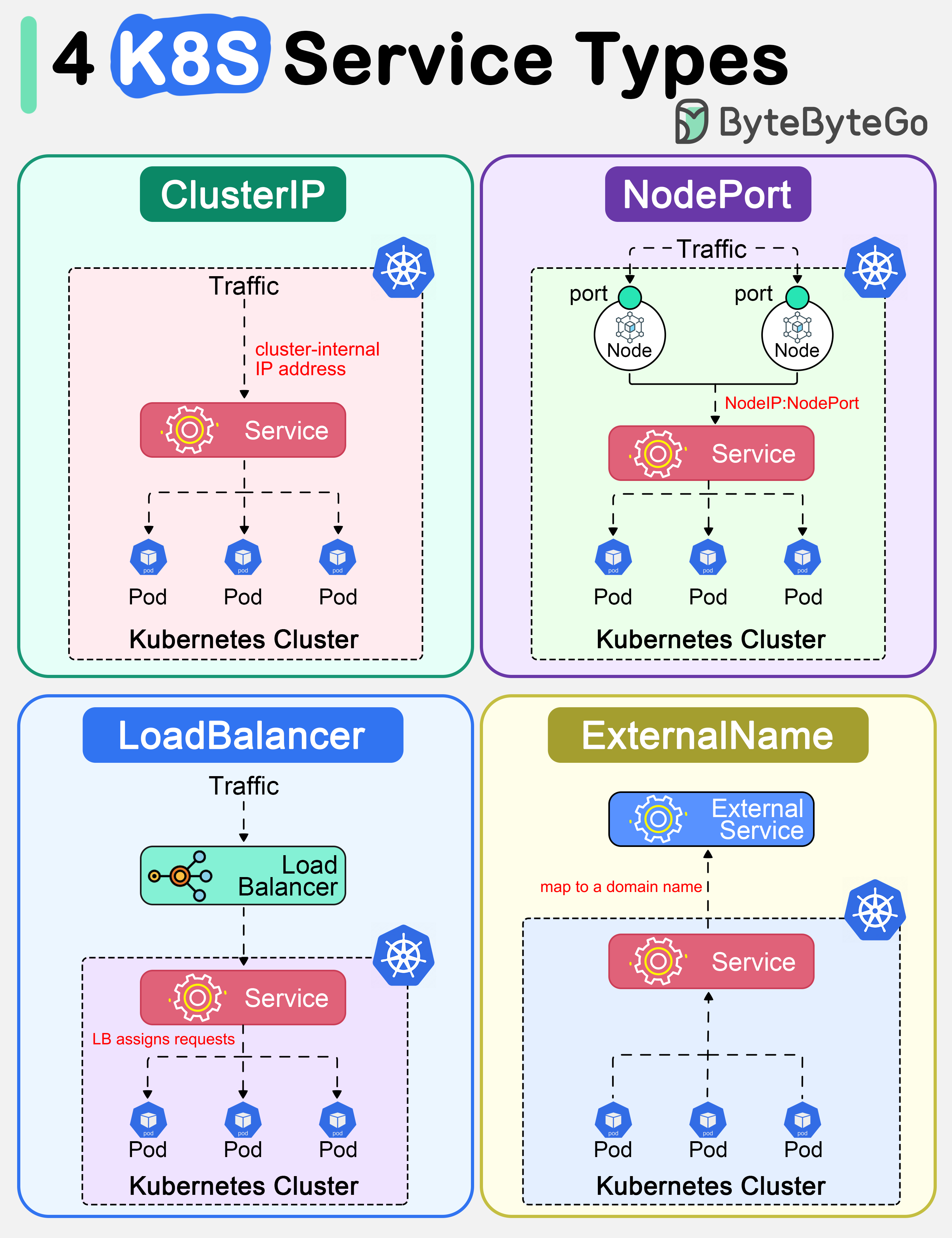
🔥 5. Types of Services (VERY IMPORTANT 🔥)
🟢 1. ClusterIP (default)
👉 Internal communication only
-
Accessible inside cluster
-
Not exposed outside
💡 Example:
- Backend ↔ Database
🌐 2. NodePort
👉 Exposes app on node IP + port
-
Port range: 30000–32767
-
Accessible externally
💡 Example:
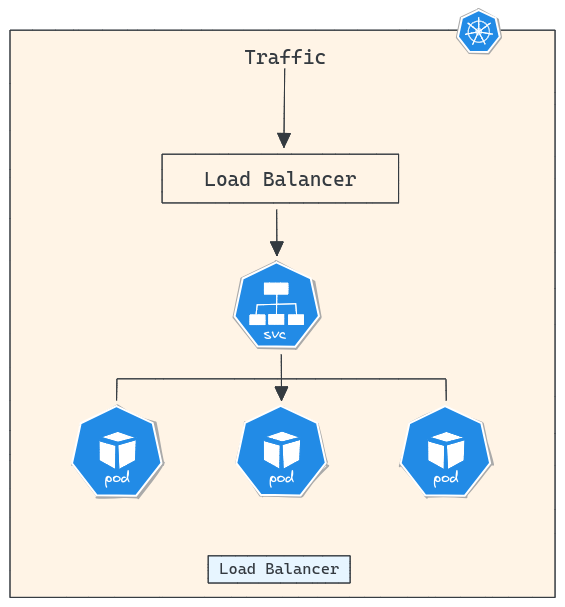
<NodeIP>:30007☁️ 3. LoadBalancer
👉 Cloud provider gives external IP
-
Used in AWS / Azure / GCP
-
Production use
💡 Example:
- AWS ELB automatically created
📦 6. YAML Example
apiVersion: v1
kind: Service
metadata:
  name: my-service
spec:
  type: ClusterIP
  selector:
app: myapp
  ports:
- port: 80
  targetPort: 8080
🧠 7. Important Ports Concept
-
port → Service port
-
targetPort → Pod container port
👉 Flow:
Client → Service(port) → Pod(targetPort)
🔥 8. Load Balancing
Service automatically:
-
Distributes traffic across pods
-
Round-robin (default)
💥 9. Real-world Example (ML / API 🔥)
You deploy:
- 3 pods of model API
Without Service:
❌ Users hit 1 pod → overload
With Service:
✅ Traffic distributed
✅ High availability
⚠️ 10. Common Mistakes
❌ “Service runs containers” → WRONG
👉 It only routes traffic
❌ “Service = Pod” → WRONG
👉 Service is abstraction layer
💼 11. Interview Answer
👉 “A Service in Kubernetes provides a stable network endpoint and load balances traffic across a dynamic set of Pods using label selectors.”
⚡ 12. CKA Commands
kubectl get svc
kubectl describe svc <name>
kubectl expose deployment my-dep --type=NodePort --port=80
🧠 13. Memory Trick
👉 Pod = changes frequently
👉 Service = stable entry point 🚪
🔥 14. Pro Insight (Real-world)
-
Internal apps → ClusterIP
-
Testing → NodePort
-
Production → LoadBalancer
🚀 Next Step
Bol:
👉 “next”
Then we go to:
🔥 Concept 6: Namespace (Resource Isolation + Multi-team 💯)