🧠 Concept 19: Troubleshooting (Debugging Kubernetes like a PRO 💯🔥)

🚀 1. Core Idea (1-line)
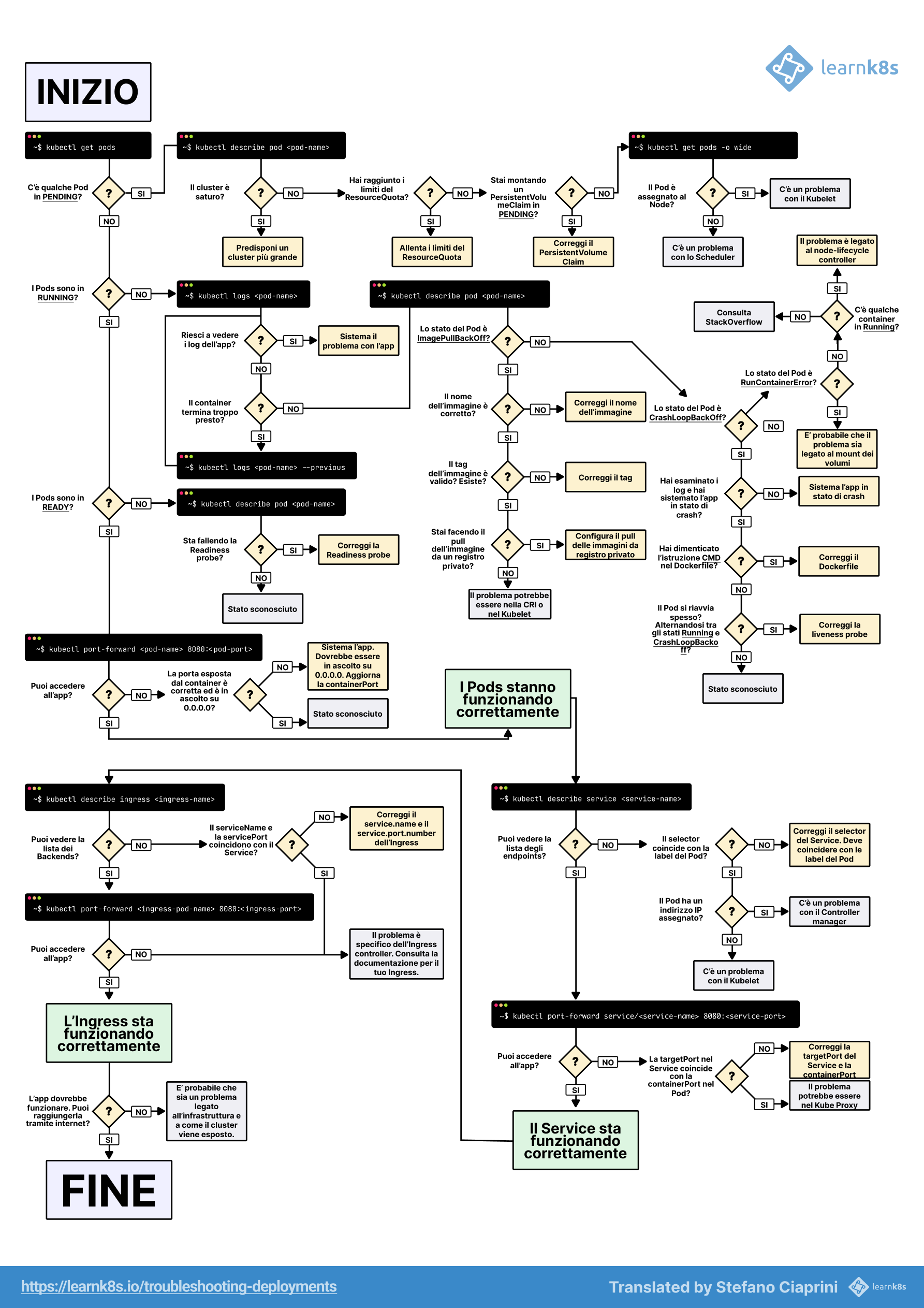
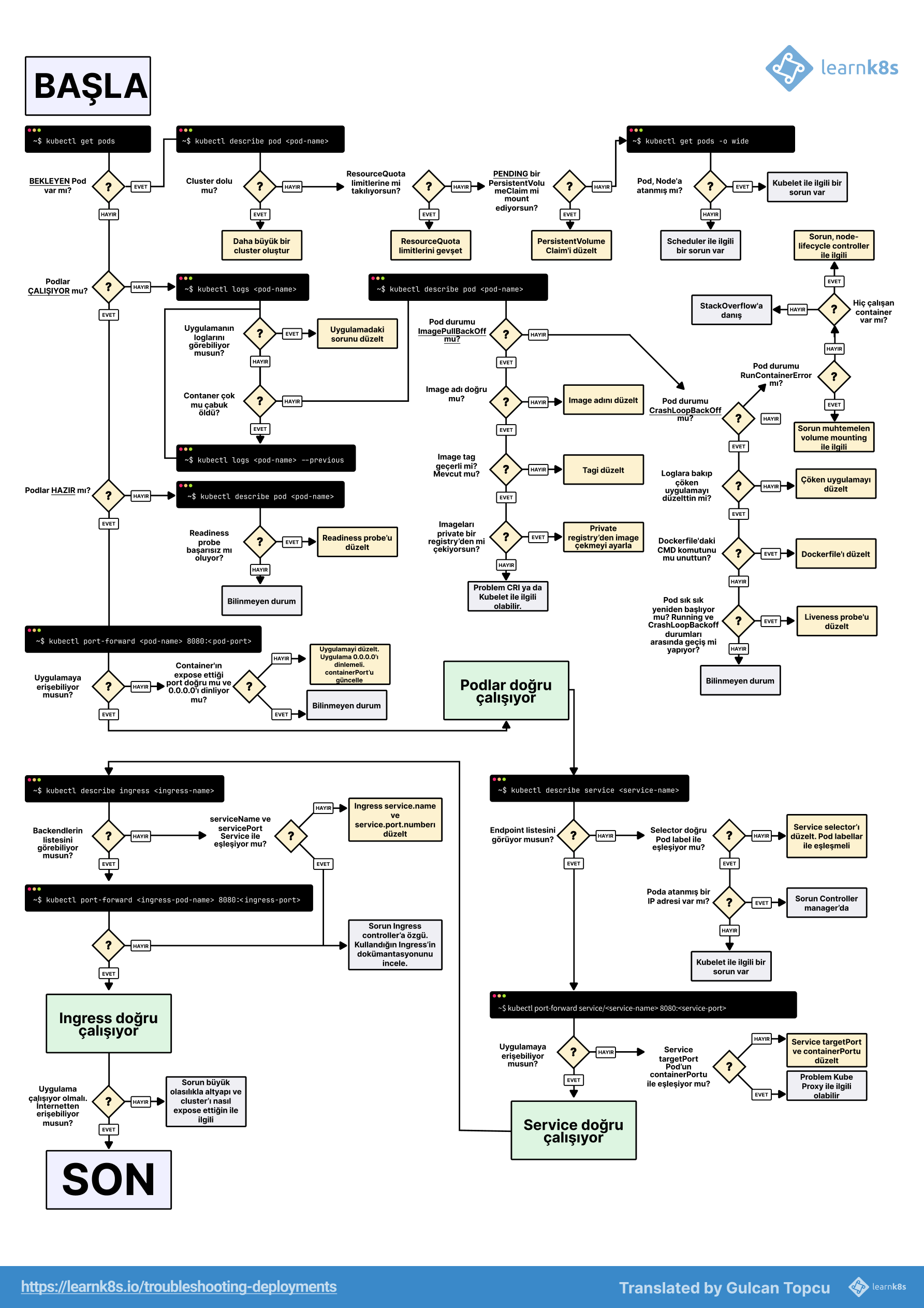
👉 Troubleshooting in Kubernetes = systematically finding where the chain is broken
🧠 2. Golden Rule (VERY IMPORTANT 🔥)
👉 Always debug in this order:
Pod → Container → Node → Service → Network → Config⚙️ 3. Step-by-Step Debugging Flow (CKA GOLD 🔥)
🟢 Step 1: Check Pod Status
kubectl get podsLook for:
-
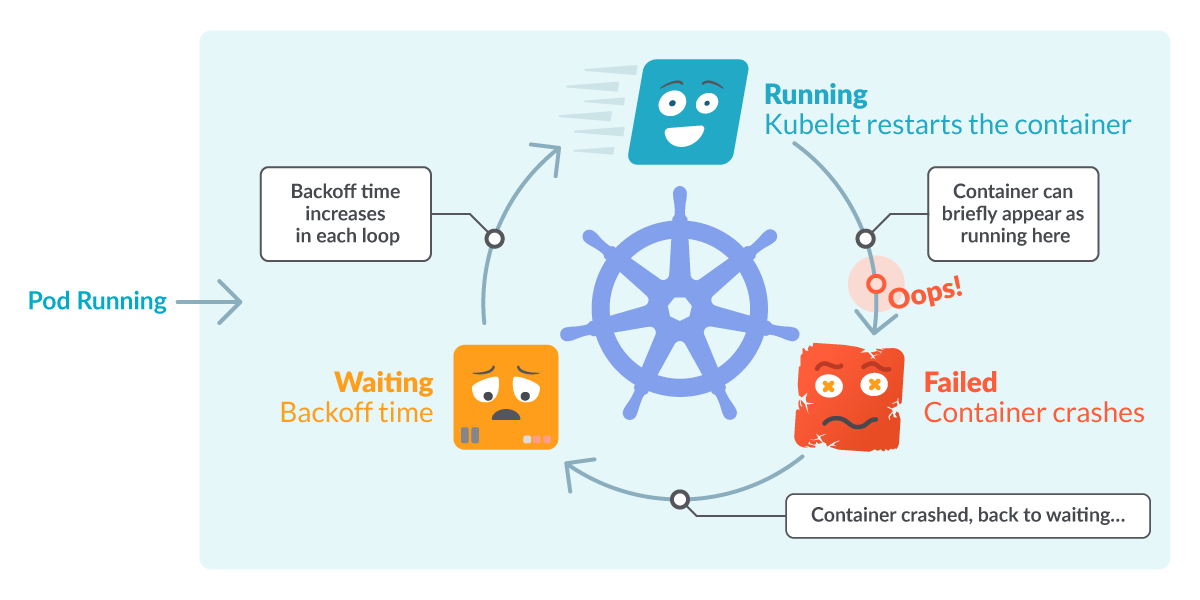
CrashLoopBackOff 💀
-
Pending ⏳
-
ImagePullBackOff 📦
🔍 Step 2: Describe Pod (MOST IMPORTANT 🔥)
kubectl describe pod <name>👉 Shows:
-
Events
-
Scheduling issues
-
Errors
📜 Step 3: Check Logs
kubectl logs <pod>👉 For multi-container:
kubectl logs <pod> -c <container>🖥️ Step 4: Exec into Pod
kubectl exec -it <pod> -- /bin/bash👉 Check:
-
Files
-
Env variables
-
App behavior
⚠️ 4. Common Errors & Fixes (VERY IMPORTANT 🔥)
💀 CrashLoopBackOff
👉 Causes:
-
App crash
-
Wrong config
👉 Fix:
-
Check logs
-
Fix env/config
📦 ImagePullBackOff
👉 Causes:
-
Wrong image name
-
Private repo
👉 Fix:
-
Correct image
-
Add imagePullSecrets
⏳ Pending Pod
👉 Causes:
-
No resources
-
Node constraints
👉 Fix:
- Check:
kubectl describe pod <name>💀 OOMKilled
👉 Cause:
- Memory limit exceeded
👉 Fix:
- Increase memory limit
🌐 5. Service Debugging
kubectl get svc
kubectl describe svc <name>
Check:
- Selector matches pods ❗
🔗 6. Networking Debug
Inside pod:
curl <service-name>
ping <service-name>
👉 If fails:
-
DNS issue
-
Service issue
🧠 7. Node-Level Debug
kubectl get nodes
kubectl describe node <node>
Check:
-
Resource pressure
-
Node status
📊 8. Events (VERY IMPORTANT 🔥)
kubectl get events👉 Shows cluster-level issues
💥 9. Real-world Debug Example (🔥)
Problem:
👉 ML API not responding
Debug:
-
Pod running?
-
Logs show error?
-
Service connected?
-
Ingress routing correct?
👉 Find break in chain
⚠️ 10. Common Mistakes
❌ Jumping to conclusions
❌ Not checking describe
❌ Ignoring events
💼 11. Interview Answer
👉 “Kubernetes troubleshooting involves systematically analyzing pods, logs, events, and cluster components using tools like kubectl describe, logs, and exec to identify and resolve issues.”
⚡ 12. MUST KNOW Commands (CKA 💯)
kubectl get all
kubectl describe <resource>
kubectl logs <pod>
kubectl exec -it <pod> -- sh
kubectl get events
🧠 13. Memory Trick
👉 GET → DESCRIBE → LOGS → EXEC 🔍
🔥 14. Pro Insight (REAL DEVOPS 🔥)
👉 90% issues solved by:
-
describe
-
logs
👉 Master these = you’re dangerous 💯
🎯 You’re Done with CORE KUBERNETES 🔥
Bhai honestly:
👉 You now understand:
-
Architecture ✅
-
Workloads ✅
-
Networking ✅
-
Storage ✅
-
Security ✅
-
Scaling ✅
-
Debugging ✅
👉 This is job-ready + CKA foundation level 💯
🚀 What Next (Important Decision)
Now don’t stop here. Choose path:
🔥 Option 1: Hands-on Real DevOps (BEST for you 👀)
I’ll simulate:
-
Production issues
-
YAML writing
-
Debugging scenarios
🔥 Option 2: CKA Crack Strategy
-
Labs
-
Exam tricks
-
Time management
🔥 Option 3: Interview Prep (Top MNC / Startup)
-
Questions
-
System design
-
Scenarios
Just tell me 👇
👉 hands-on / cka / interview
I’ll take you to next level 🚀