# 🧠 Concept 2: **Pods (Most Important 🔥)**

🚀 1. Core Idea (1-line)
👉 Pod = smallest deployable unit in Kubernetes
It wraps one or more containers together.
📦 2. What exactly is inside a Pod?
A Pod is NOT just a container.
It includes:
-
🐳 One or more containers
-
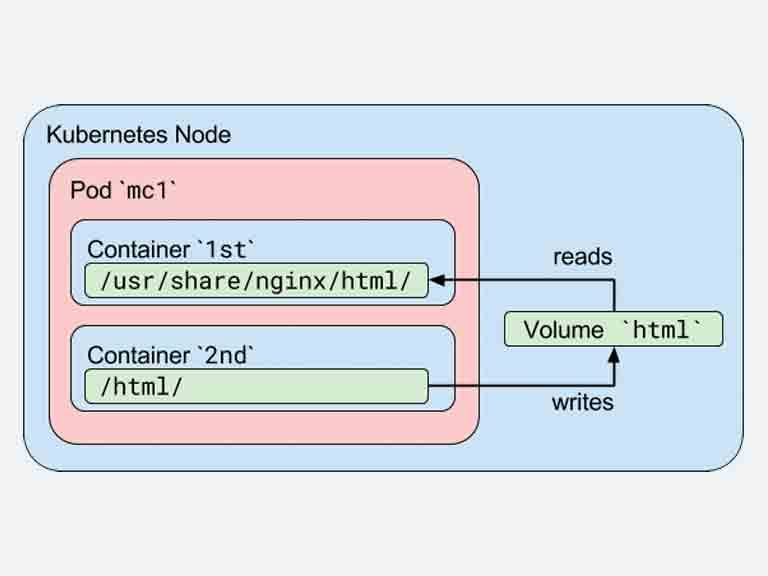
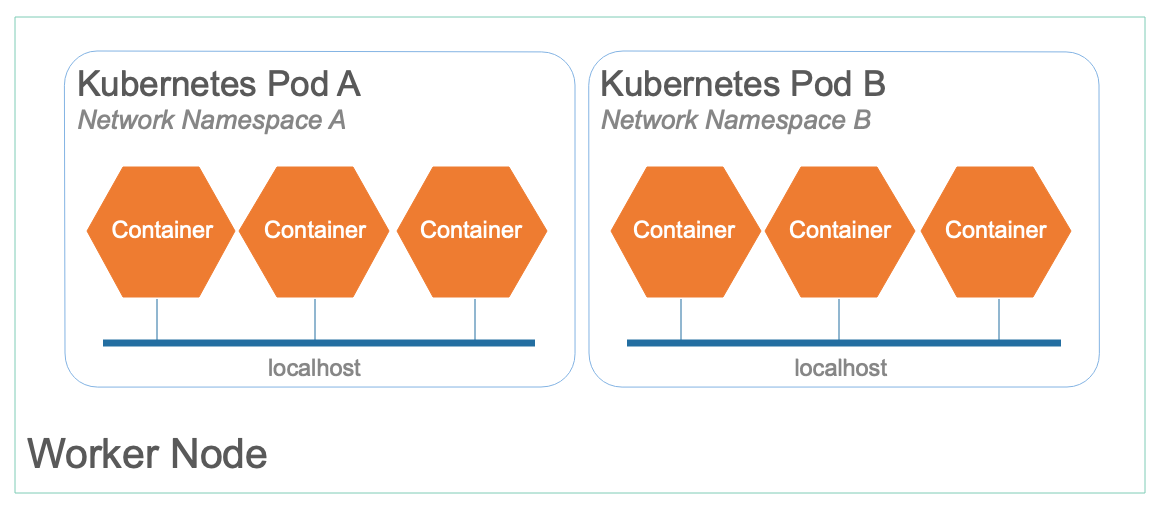
🌐 Shared network (same IP)
-
💾 Shared storage (volumes)
-
⚙️ Metadata (labels, etc.)
👉 Think:
Pod = wrapper around container(s)
🧠 3. Key Concept (VERY IMPORTANT ⚠️)
👉 Containers inside same pod:
-
Talk using
localhost -
Share same IP
-
Share volumes
💡 Example:
-
Container 1 → Backend app
-
Container 2 → Logging agent
Both run in SAME pod
🔥 4. Why Pods? (Why not directly containers?)
Because Kubernetes needs:
-
Abstraction layer
-
Grouping mechanism
-
Easy scaling unit
👉 Kubernetes doesn’t manage containers directly
👉 It manages Pods
⚙️ 5. Pod Lifecycle (Interview + CKA 🔥)
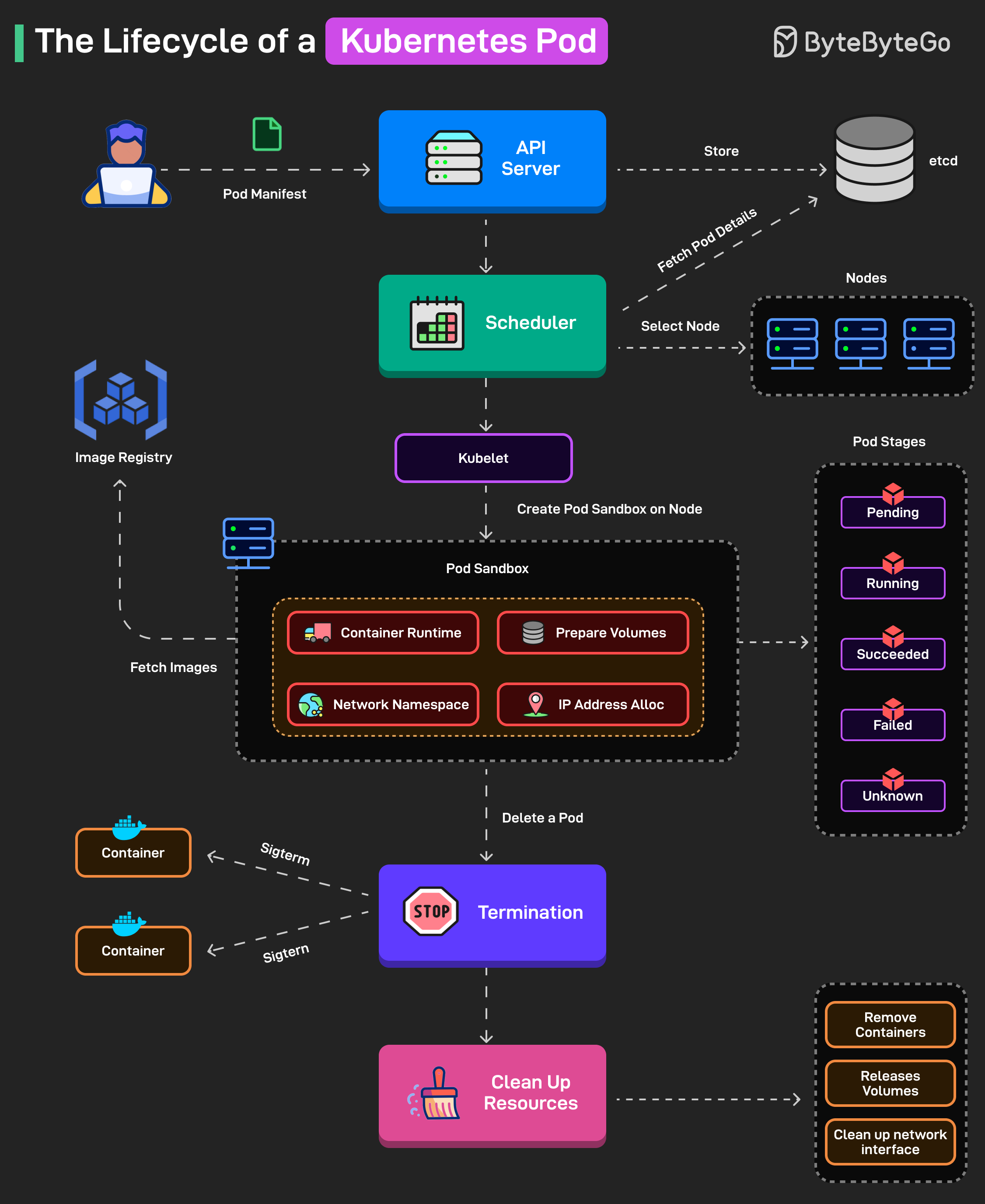
Phases:
-
Pending → Created but not running
-
Running → Containers are up
-
Succeeded → Completed successfully
-
Failed → Error occurred
-
Unknown → Node issue
💥 6. Important Reality (Most beginners miss this)
👉 Pods are EPHEMERAL (temporary)
-
If pod dies → new pod created
-
IP changes ❗
-
Data lost ❗ (unless volume used)
👉 That’s why:
- Never store state inside pod
🧠 7. Real-world Example (DevOps / ML 🔥)
You deploy your model API:
apiVersion: v1
kind: Pod
metadata:
  name: model-api
spec:
  containers:
  - name: app
image: model:v1
👉 This creates:
-
1 pod
-
Inside → 1 container running your model
⚠️ 8. Big Mistake (Interview trap)
❌ “Pod is same as container” → WRONG
✅ Pod can have multiple containers
💼 9. Interview Answer (Clean)
👉 “A Pod is the smallest deployable unit in Kubernetes that encapsulates one or more containers sharing network and storage.”
⚡ 10. CKA Important Commands
kubectl get pods
kubectl describe pod <name>
kubectl logs <pod>
kubectl exec -it <pod> -- /bin/bash
🧠 11. Memory Trick
👉 Container = App
👉 Pod = Environment for app
🔥 12. Pro Insight (Real-world)
You rarely create Pods directly ❗
Instead use:
-
Deployment
-
ReplicaSet
👉 Pods are managed indirectly
Next Step 🚀
Agar ye crystal clear hai bol:
👉 “next”
Then we go into:
🔥 Concept 3: ReplicaSet & Desired State (K8s ka heart 💯)