🧠 Concept 14: HPA (Horizontal Pod Autoscaling 💯)

🚀 1. Core Idea (1-line)
👉 HPA automatically increases/decreases number of Pods based on load
🧠 2. Why HPA Exists (VERY IMPORTANT ⚠️)
Without autoscaling:
-
Traffic spike → app crashes ❌
-
Low traffic → wasted resources ❌
👉 Manual scaling is not practical
💡 3. What HPA Does
👉 Based on metrics (usually CPU):
-
High load → increase pods 📈
-
Low load → decrease pods 📉
⚙️ 4. How It Works (VERY IMPORTANT 🔥)
Flow:
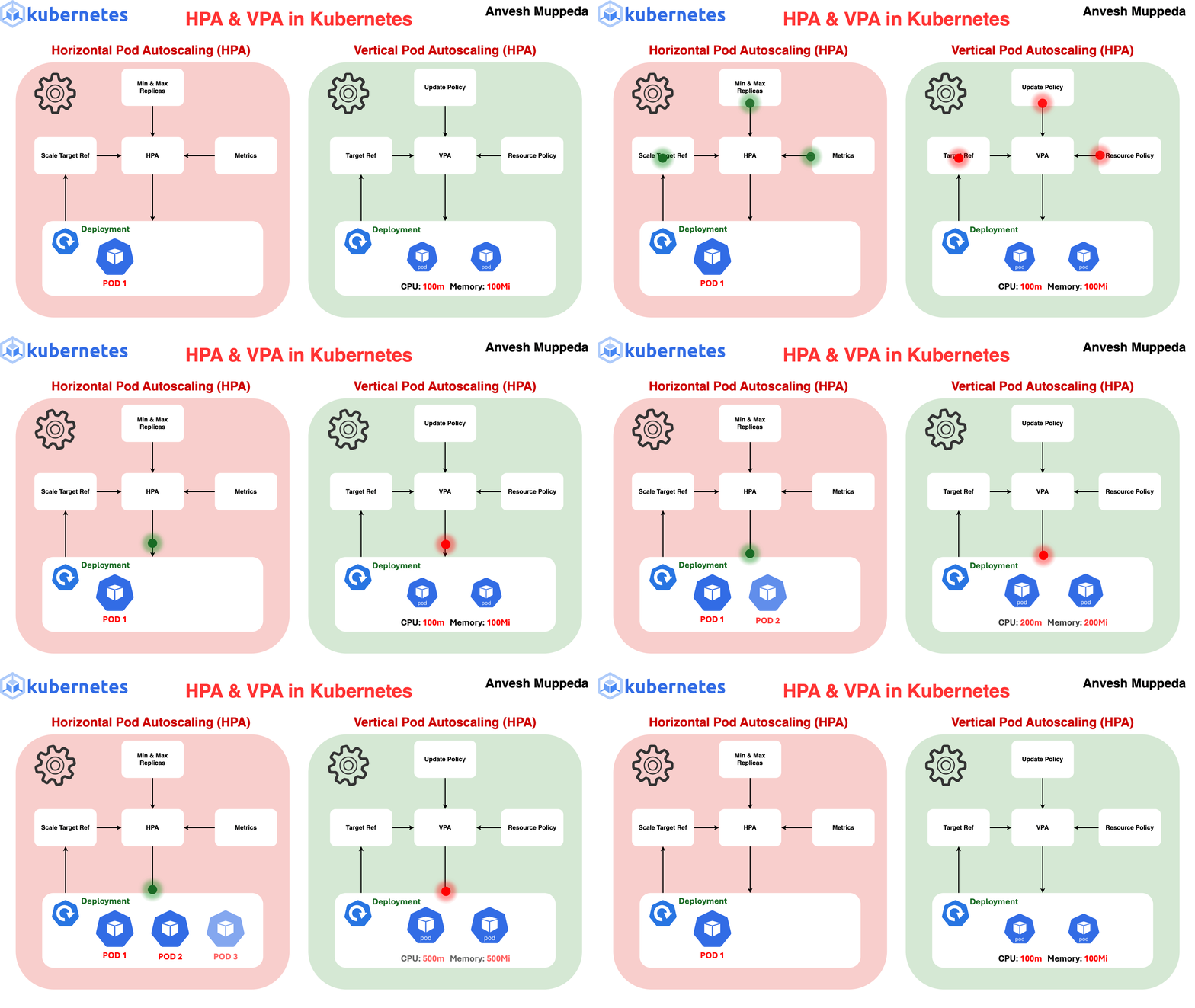
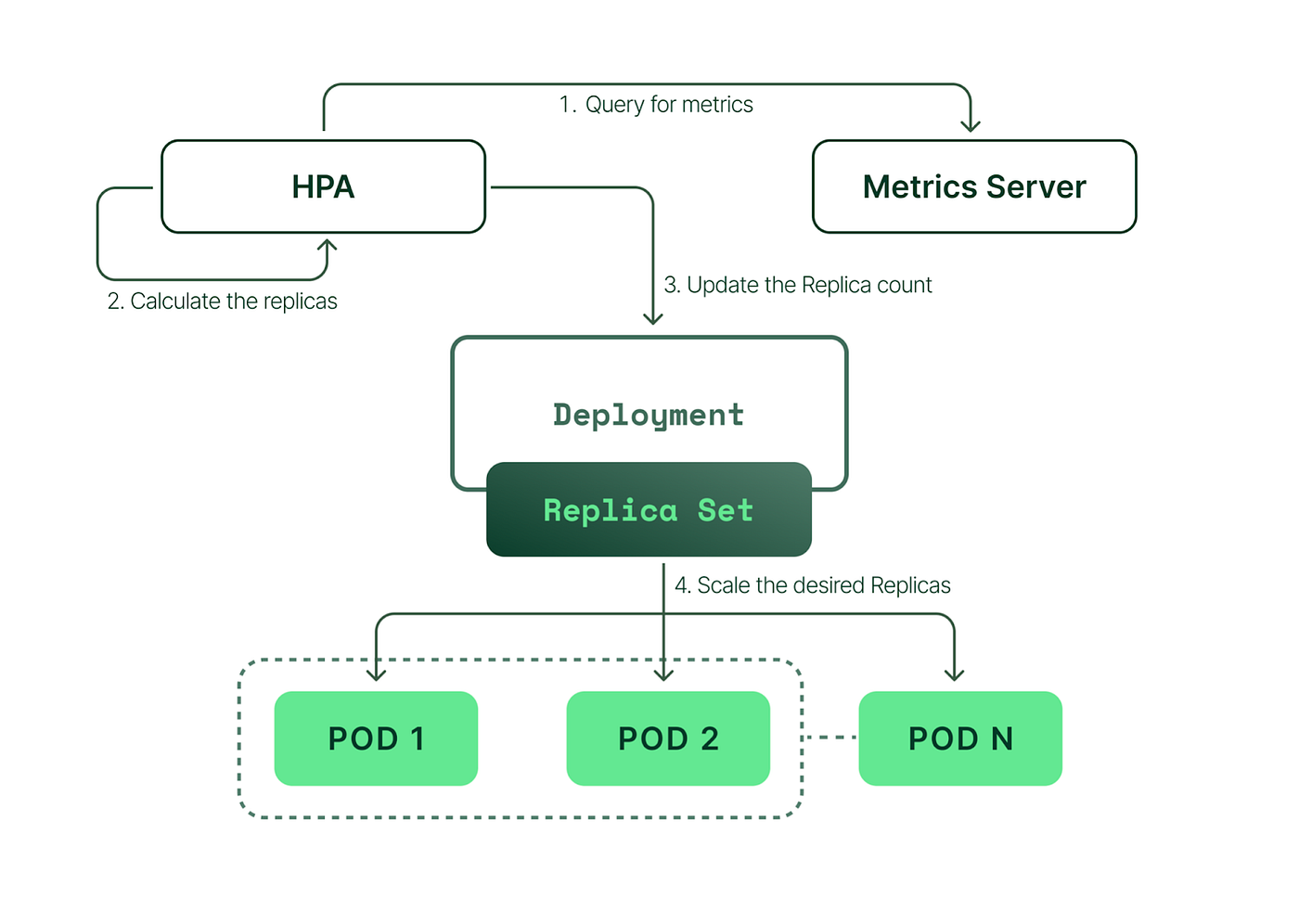
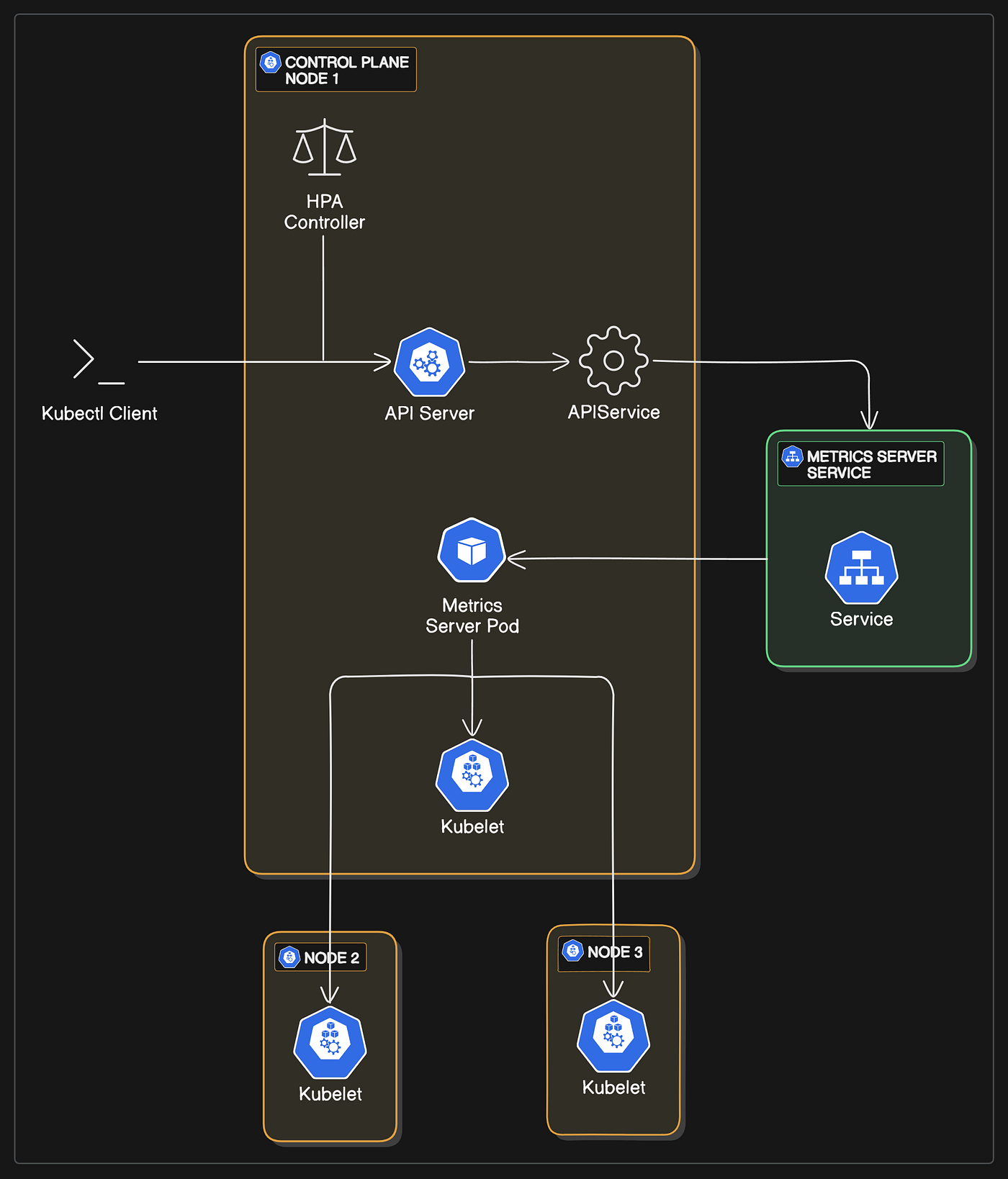
Metrics Server → HPA → Deployment → ReplicaSet → Pods📊 5. Example Logic
Target CPU = 50%

If current = 80% → scale UP
If current = 20% → scale DOWN
📦 6. Example YAML
apiVersion: autoscaling/v2
kind: HorizontalPodAutoscaler
metadata:
  name: my-hpa
spec:
  scaleTargetRef:
apiVersion: apps/v1
kind: Deployment
name: my-deployment
  minReplicas: 2
  maxReplicas: 10
  metrics:
  - type: Resource
resource:
  name: cpu
  target:
type: Utilization
averageUtilization: 50
🧠 7. Requirements (IMPORTANT ⚠️)
👉 HPA needs:
-
Metrics Server installed
-
Resource requests defined ❗
🔥 8. Real-world Example (Your Domain 👀)
ML API:
-
Normal traffic → 2 pods
-
Traffic spike → 10 pods
-
Midnight → back to 2
👉 Fully automatic ⚡
💥 9. Types of Metrics
-
CPU (most common)
-
Memory
-
Custom metrics (Prometheus) 🔥
⚠️ 10. Common Mistakes
❌ Not setting resource requests → HPA fails
❌ No metrics server installed
❌ Wrong thresholds
💼 11. Interview Answer
👉 “HPA automatically scales the number of pods in a deployment based on observed metrics like CPU utilization to handle varying workloads efficiently.”
⚡ 12. Commands (CKA 🔥)
kubectl get hpa
kubectl describe hpa <name>

kubectl autoscale deployment my-dep --cpu-percent=50 --min=2 --max=10
🧠 13. Memory Trick
👉 HPA = traffic-based scaling 📈📉
🔥 14. Pro Insight (Real-world)
-
Combine:
-
HPA + Cluster Autoscaler
-
For full auto infra scaling 💯
🚀 Next Step
Bol:
👉 “next”
Then we go to:
🔥 Concept 15: Taints & Tolerations (Advanced Scheduling 💯 — VERY IMPORTANT FOR INTERVIEWS + REAL WORLD)